Stop
Doomscrolling.
Interrupt the dopamine loop and reclaim hours of your life. A deeply integrated, aesthetic way to block addictive feeds, pause impulsivity, and take back control of your screen time.
A smarter way to scroll.
We've designed every feature to seamlessly blend into your daily routine, providing deep insights exactly when you need them.
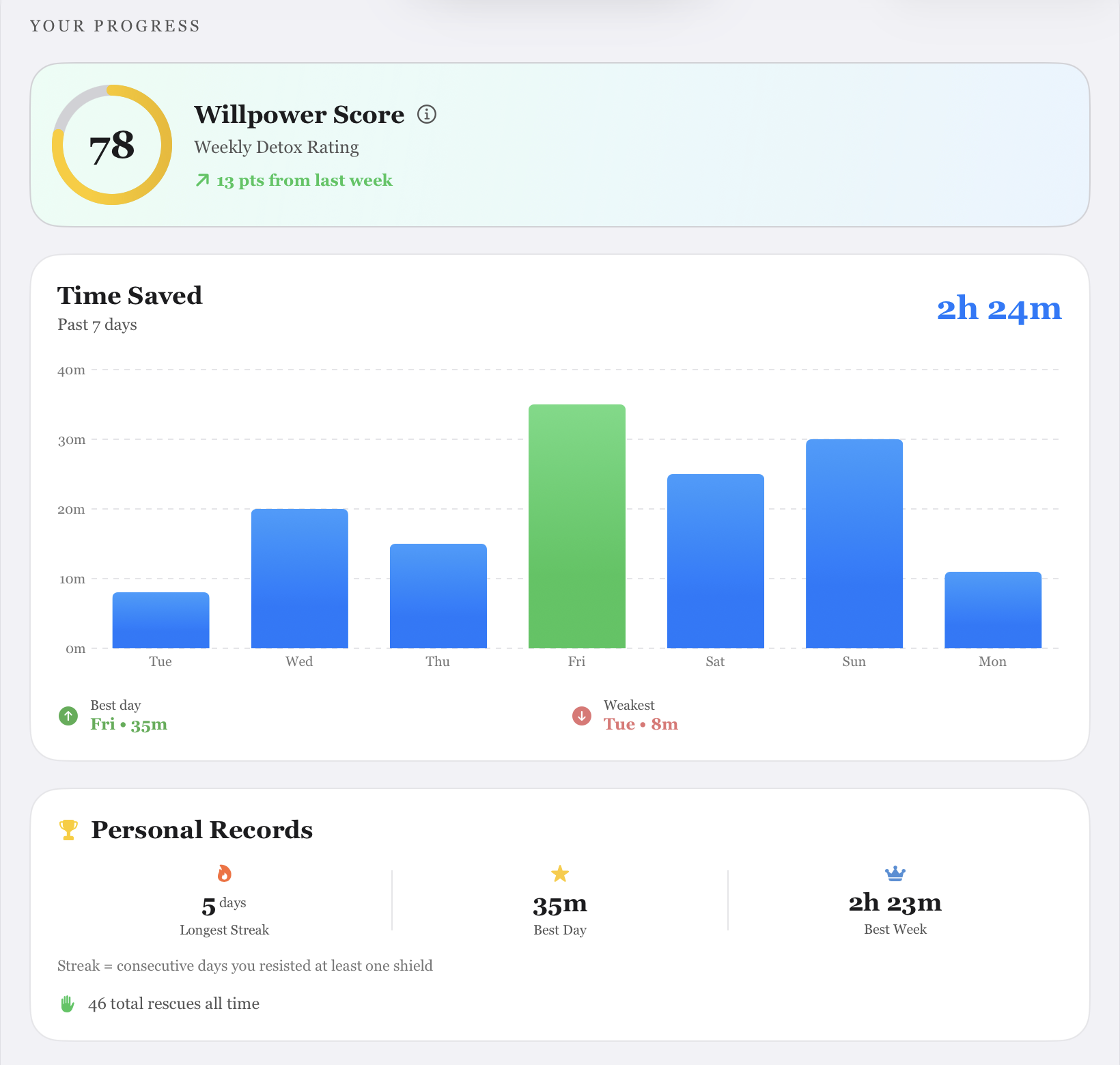
Track your weekly time saved and willpower score
Understand your habits with deep, actionable insights. See exactly where your time goes and how much focus you've reclaimed over the past 7 days.
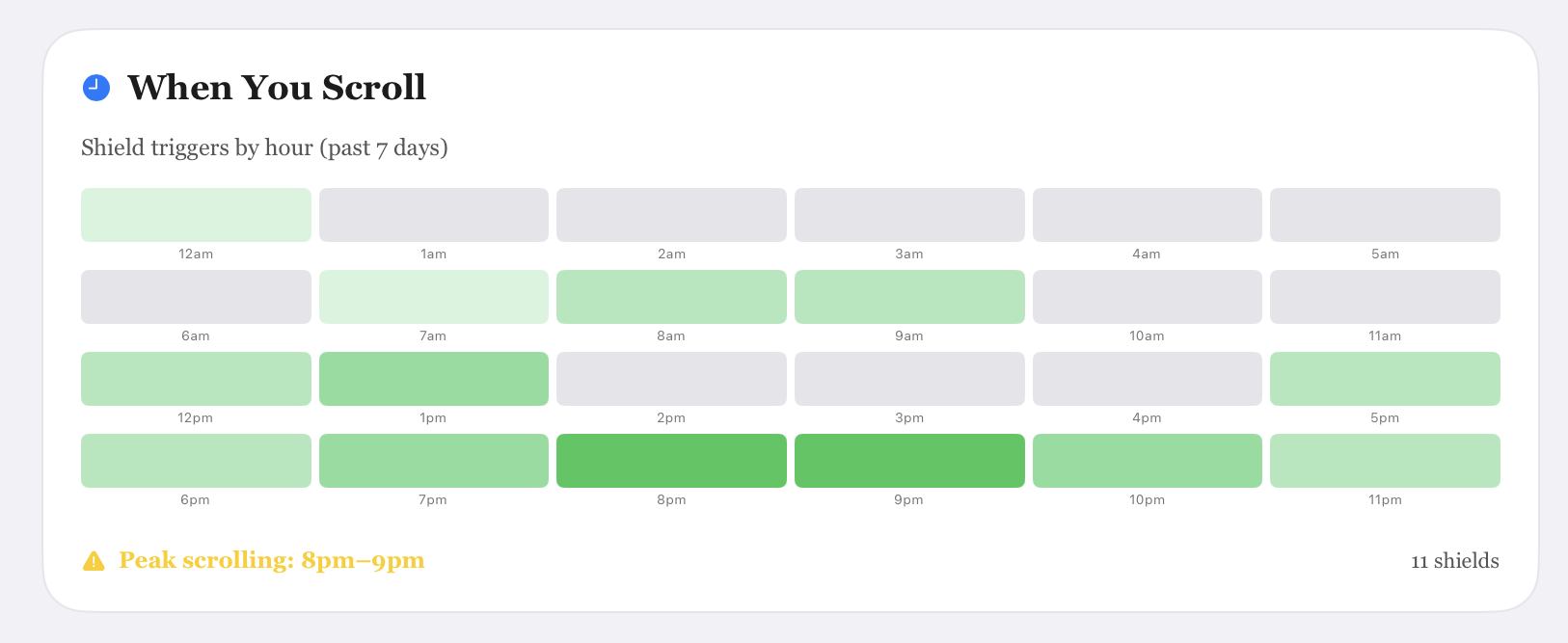
Track your most vulnerable hours during the day
Our scrolling heatmap shows you exactly when you are most likely to fall into the doomscrolling trap, helping you prepare and protect your focus when it matters most.
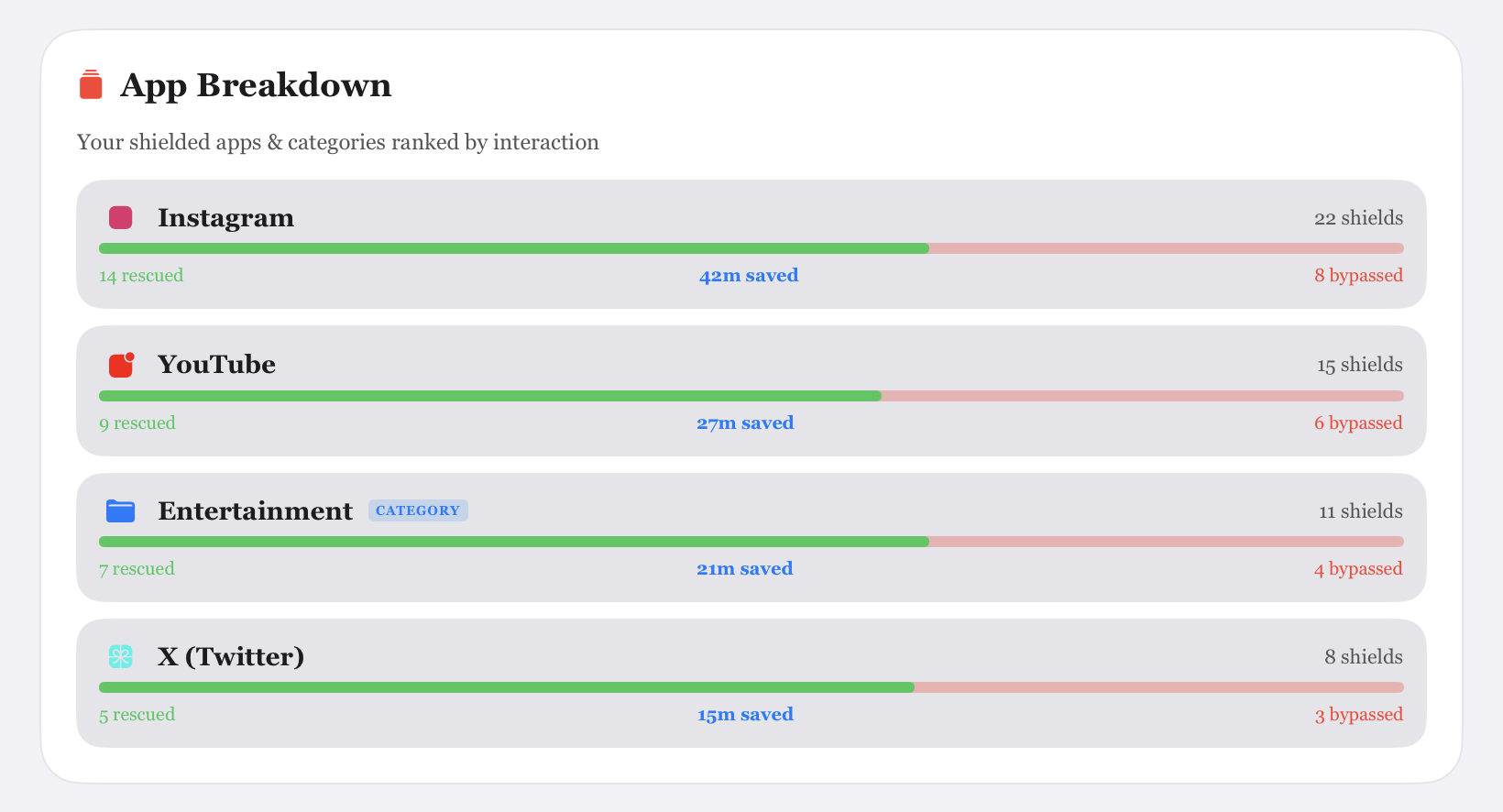
Spot your most addictive apps
Get a detailed breakdown of which apps steal most of your time. See your rescues, time saved, and bypassed sessions to know your exact weaknesses.
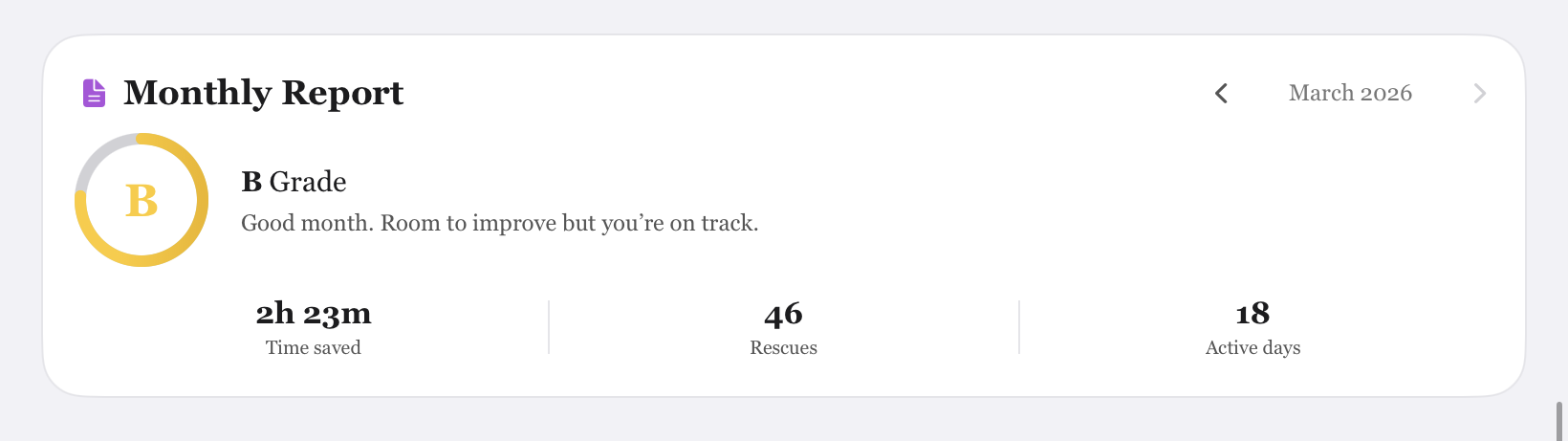
Monthly Detox Report
Receive a comprehensive grade on your digital wellbeing each month. Track your active days, total rescues, and celebrate the hours you've reclaimed.
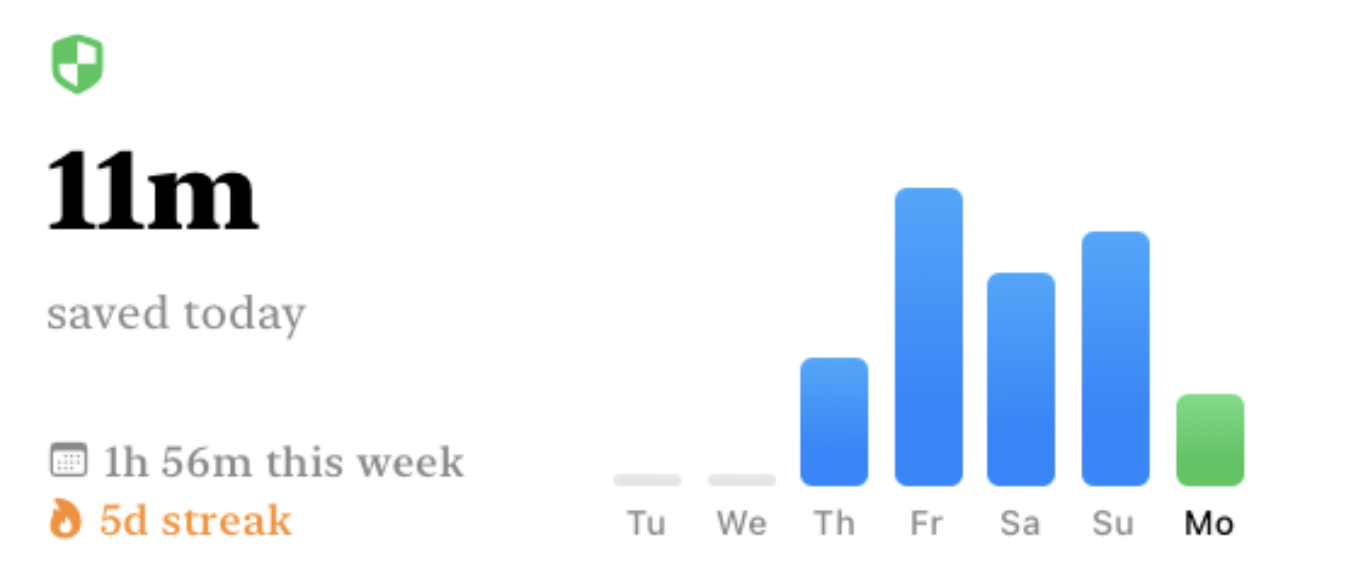
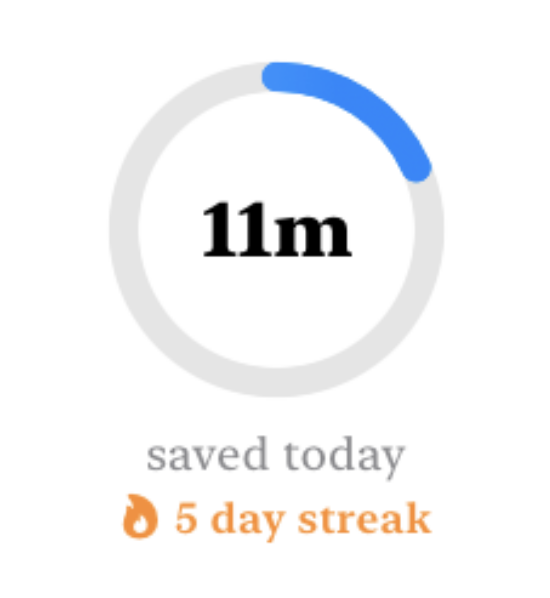
Home Screen Widgets.
Keep your willpower score and time saved right on your Home Screen.
How it works
A powerful, deep integration designed to sit silently in the background until the exact moment you need it.
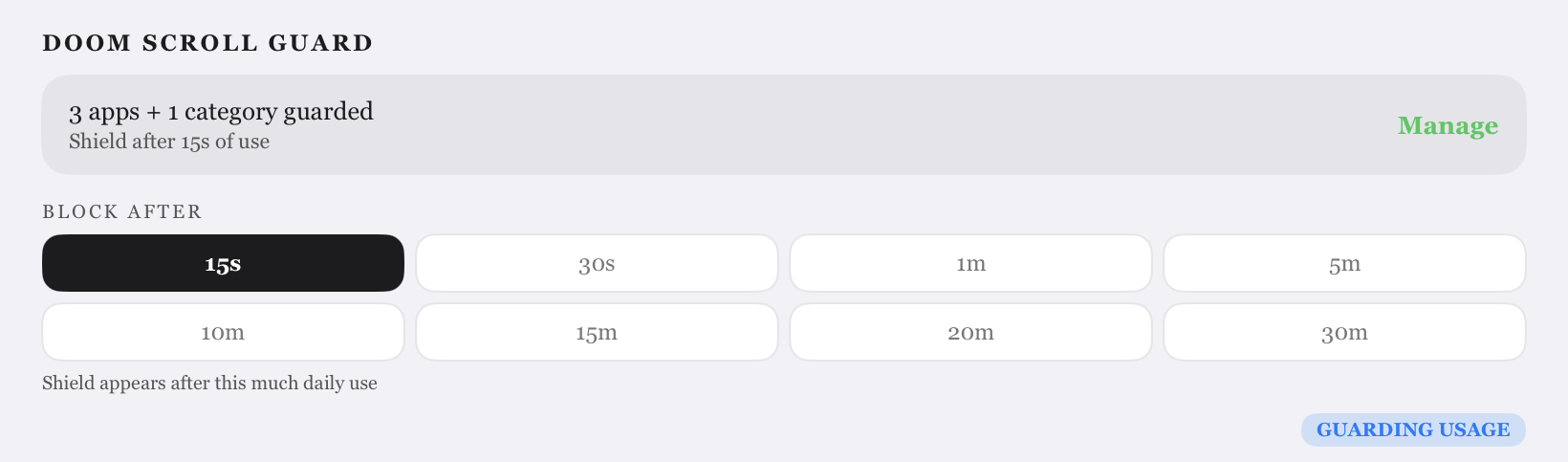
Set Your Limits
Define daily time allowances or completely block access during your working hours and bedtime routines to build healthy friction.
Select Distractions
Choose the specific apps and websites that consume too much of your time from your Screen Time settings. (Note: We recommend selecting individual apps rather than entire categories for better habit tracking.)
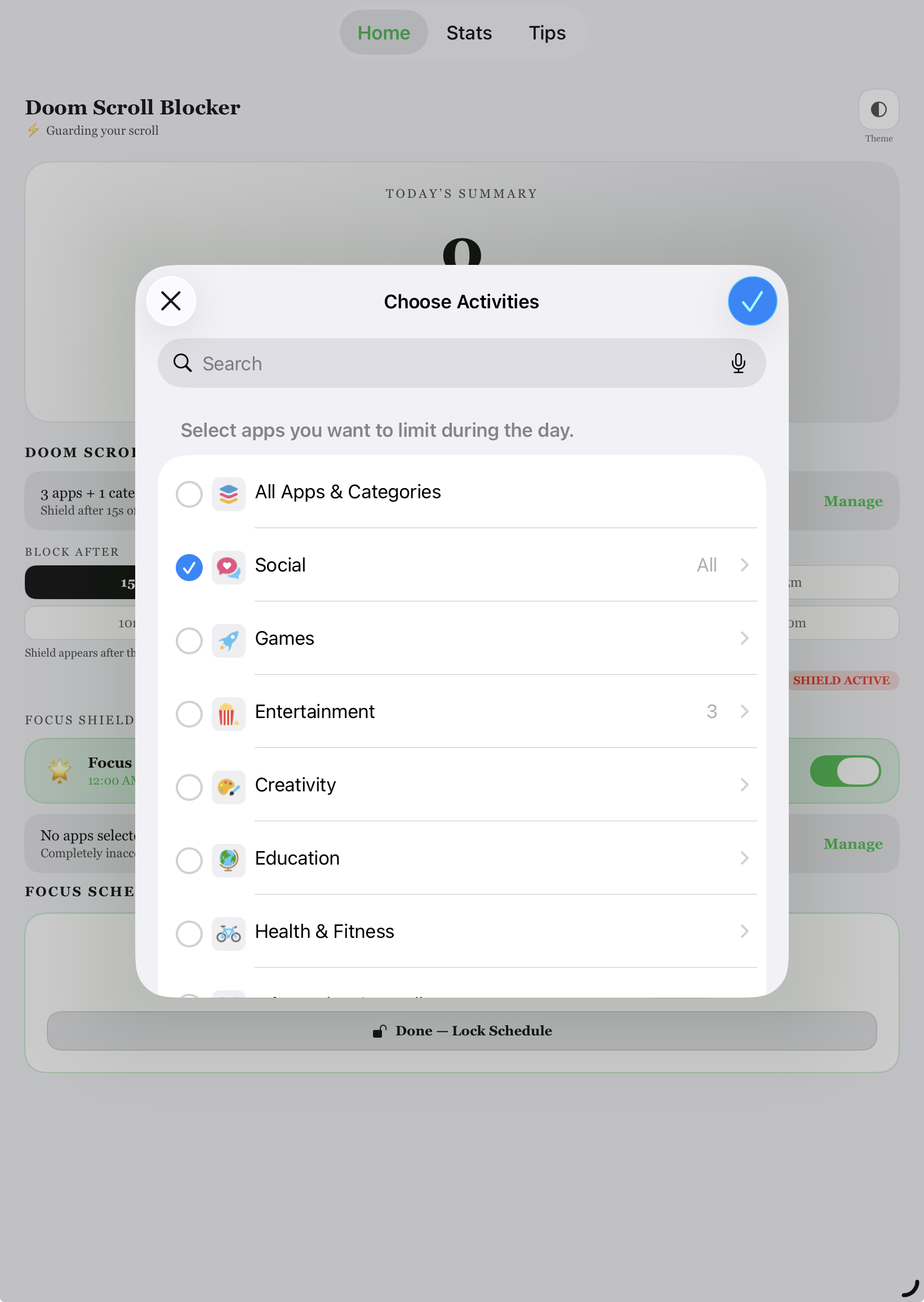
Name Your Apps
Assign simple identities to the apps you've selected. (Note: We need this one-time step to accurately track individual apps and build your personalized habit breakdown.)
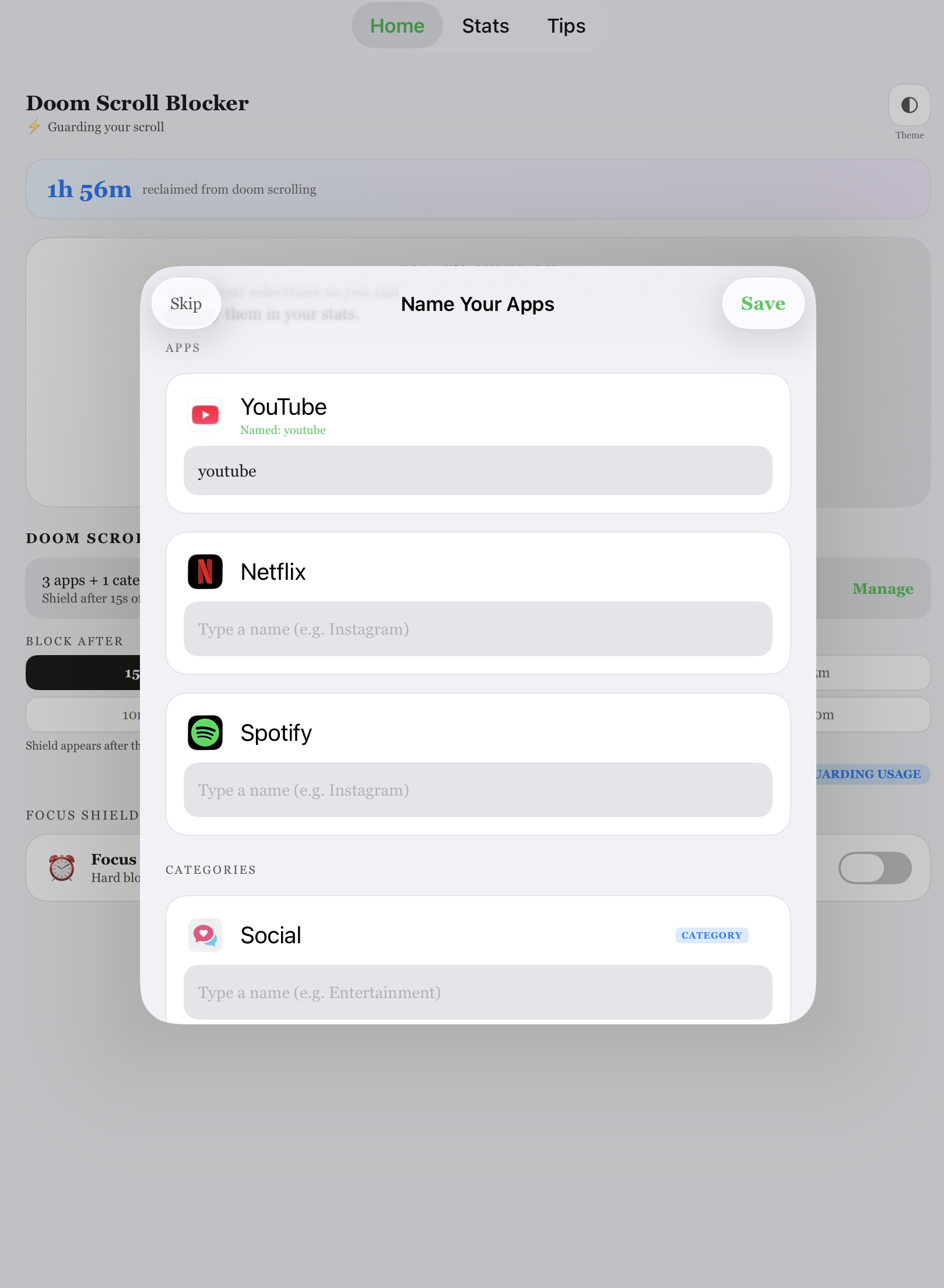
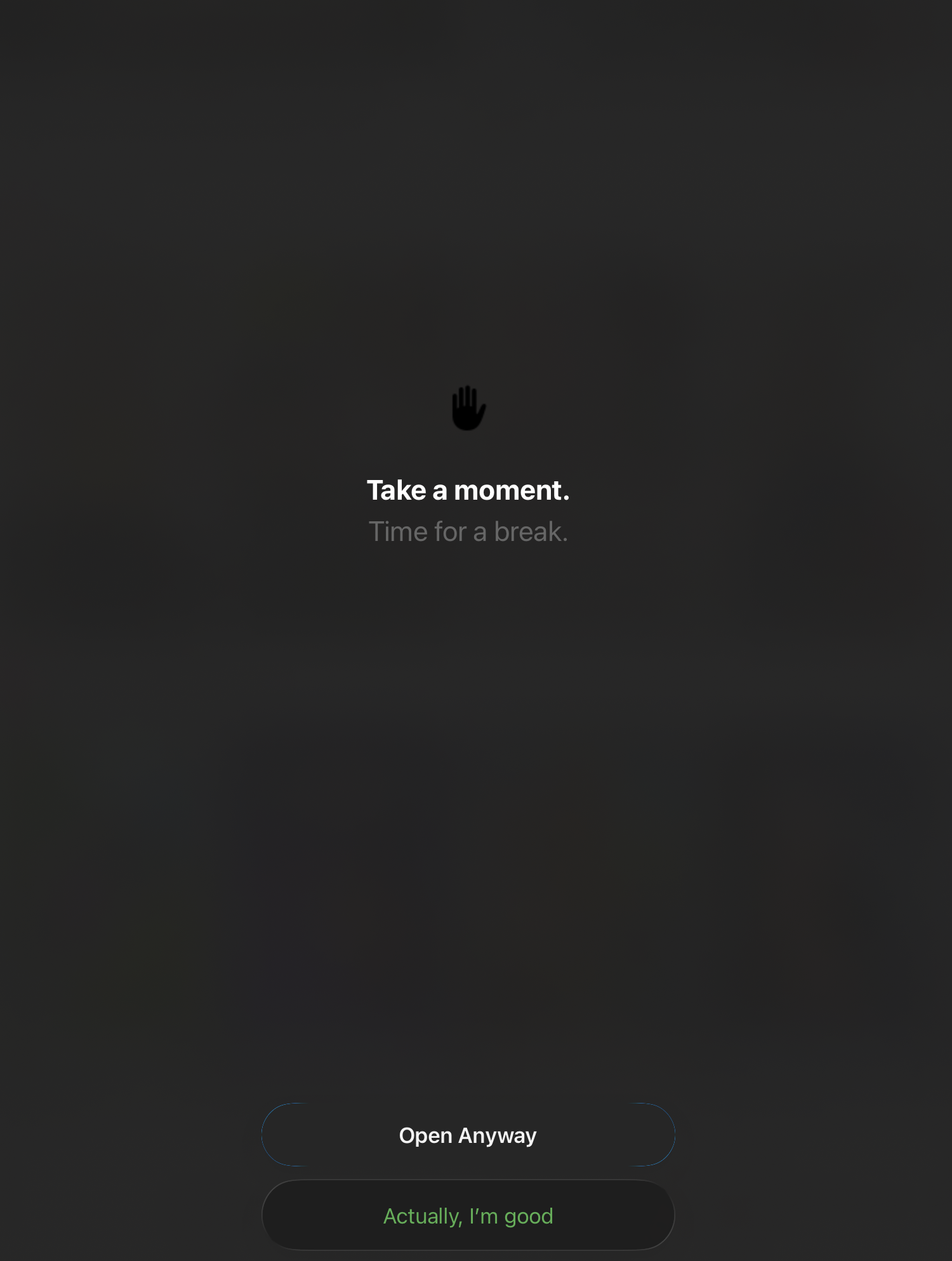
Shield Protects You
When you hit a weak moment, DoomScrollBlocker's aesthetic shield gracefully steps in to prevent automatic, impulsive usage.
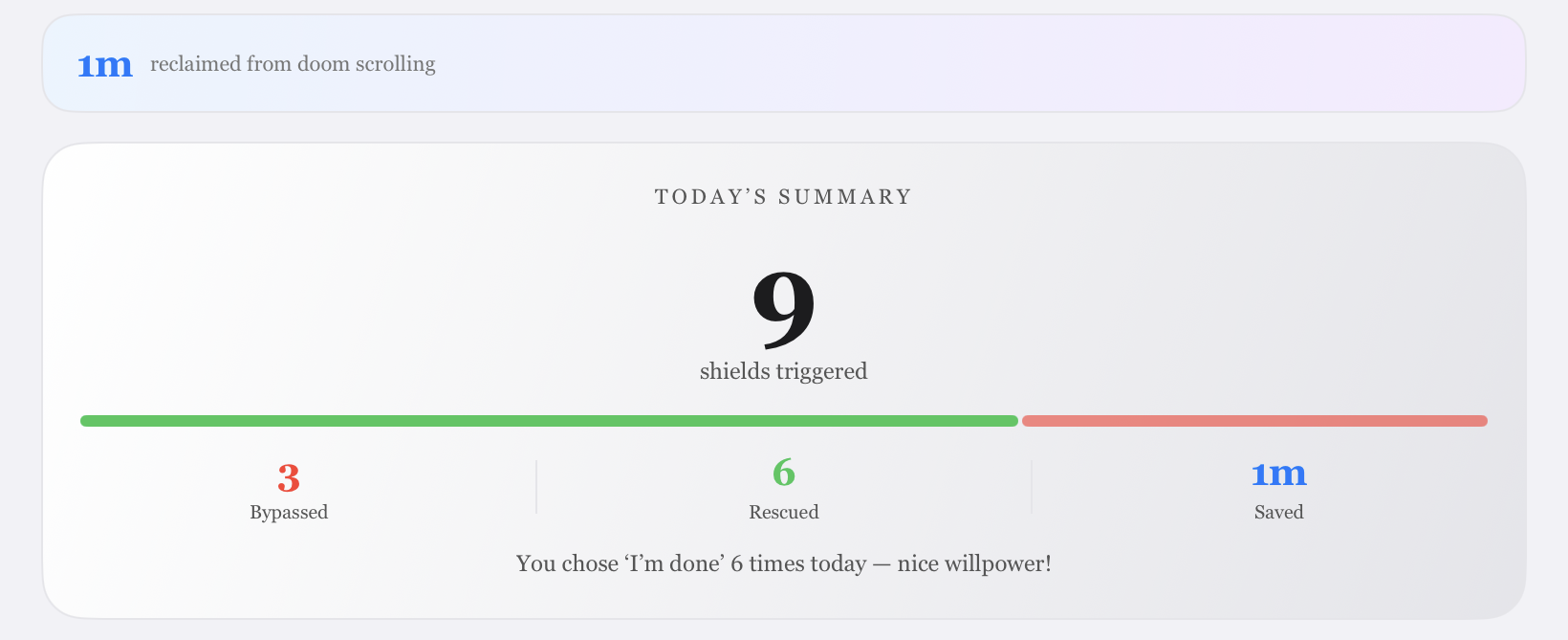
Reclaim Your Time
Watch your rescued focus time accumulate on your dashboard as you physically break the dopamine loop and take back control of your day.
Deep focus. Zero distractions.
Schedule distraction-free blocks and let the app enforce your commitment — even when willpower fades.
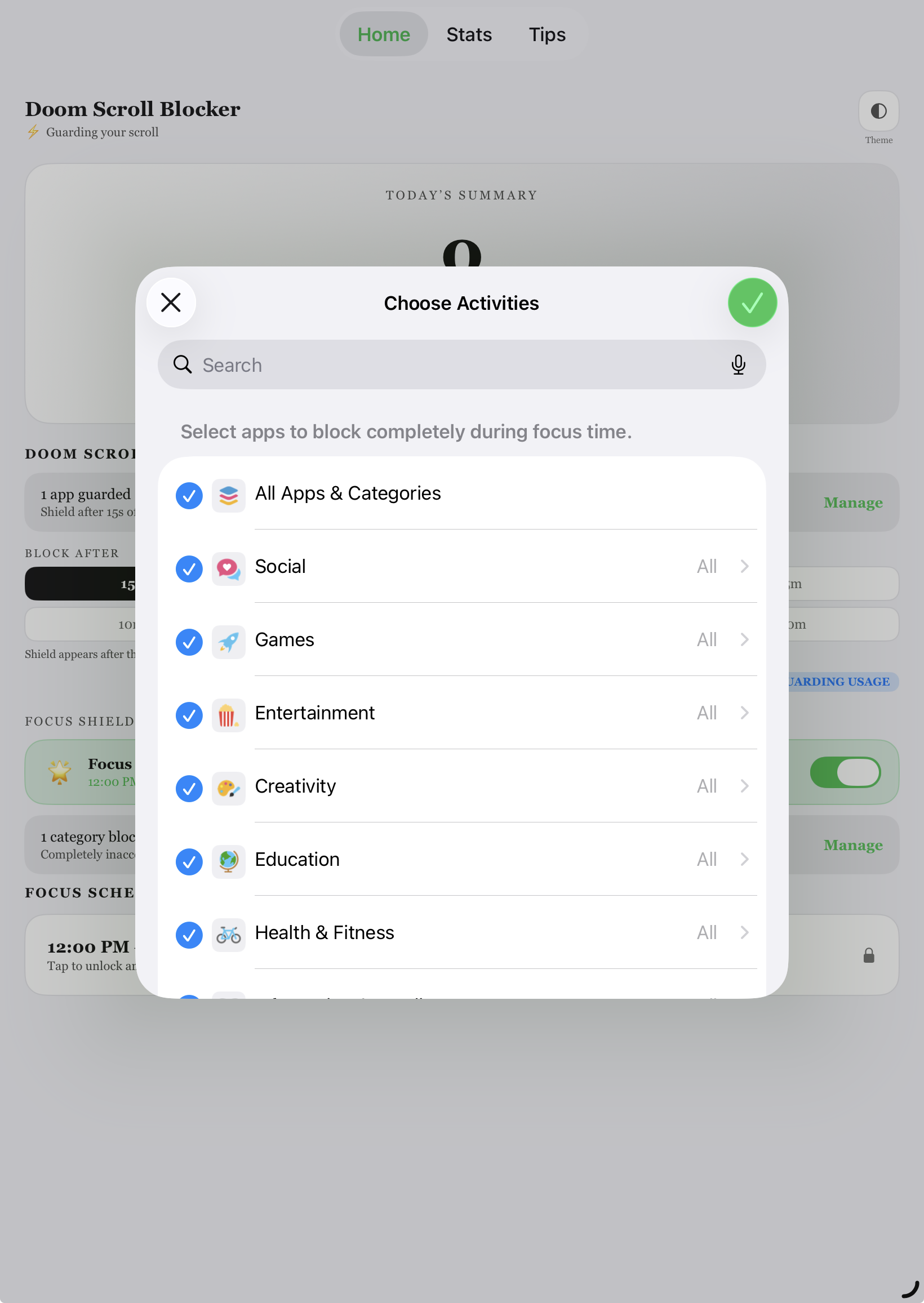
Select Apps to Block
Choose which apps go completely silent during your focus sessions — social media, games, or anything that pulls you away.
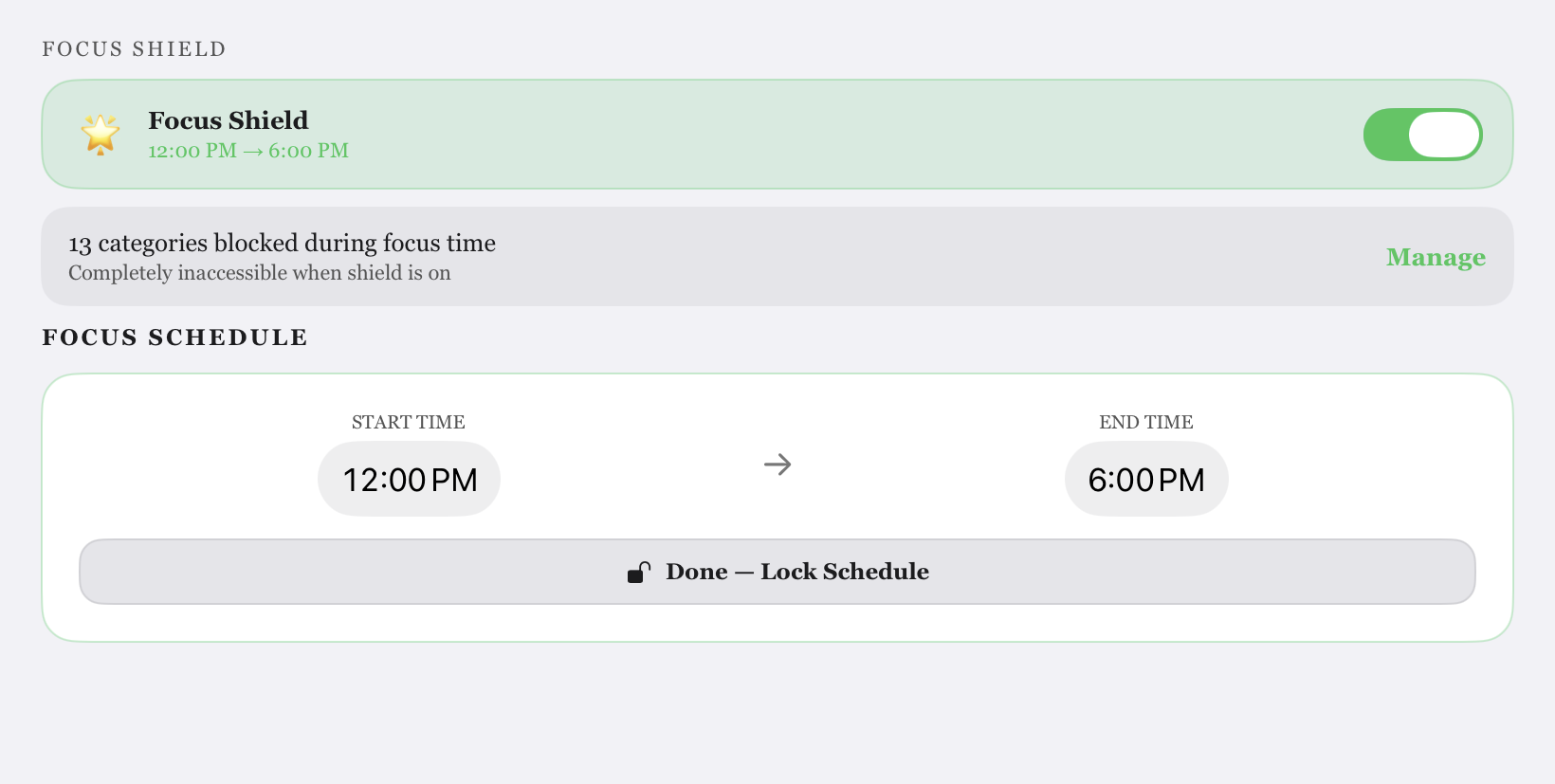
Set Your Schedule
Pick your focus hours — work blocks, study sessions, or bedtime routines. Your shield activates automatically.
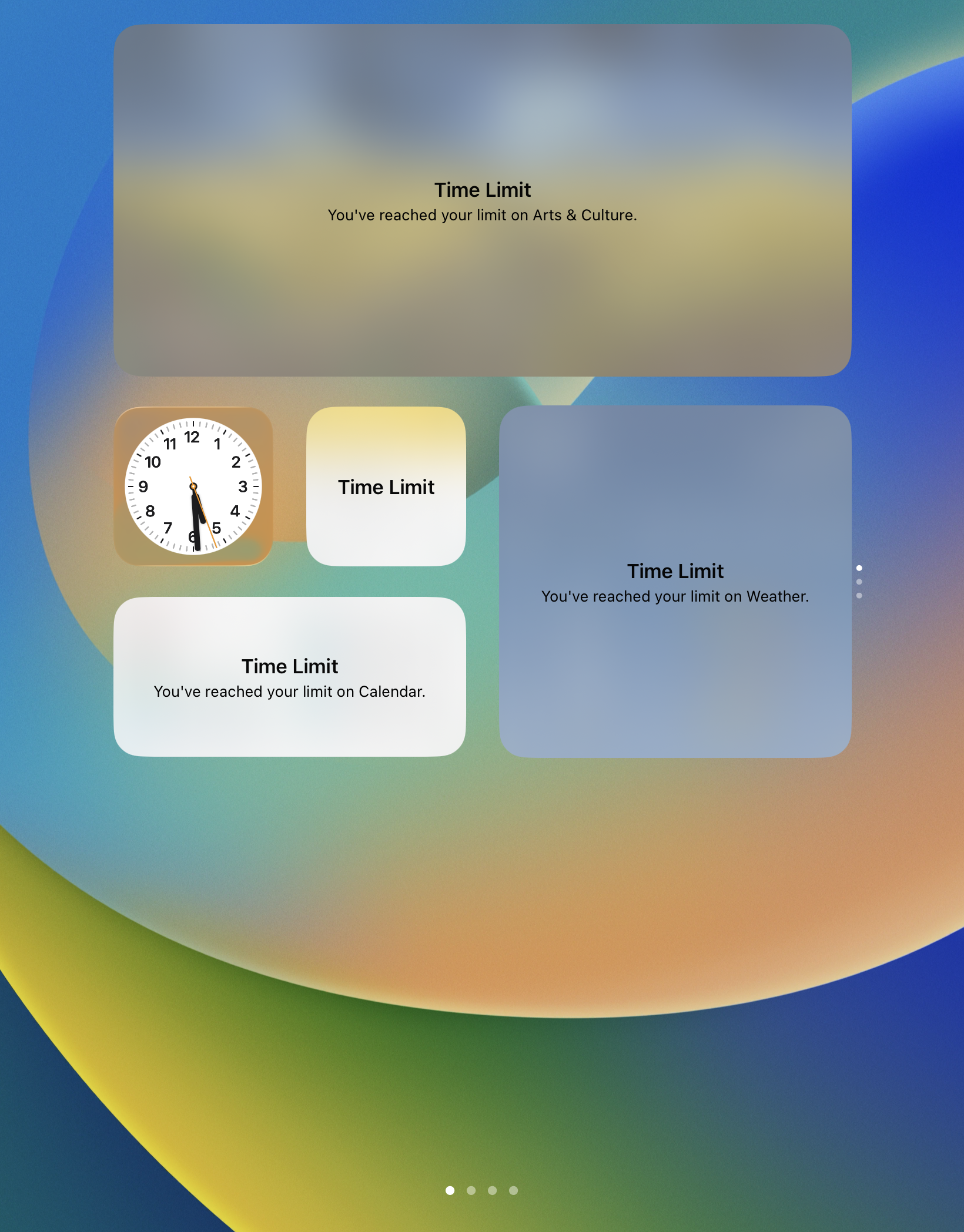
Apps Stay Blocked
During your scheduled time, selected apps are completely inaccessible. No workarounds, no loopholes.
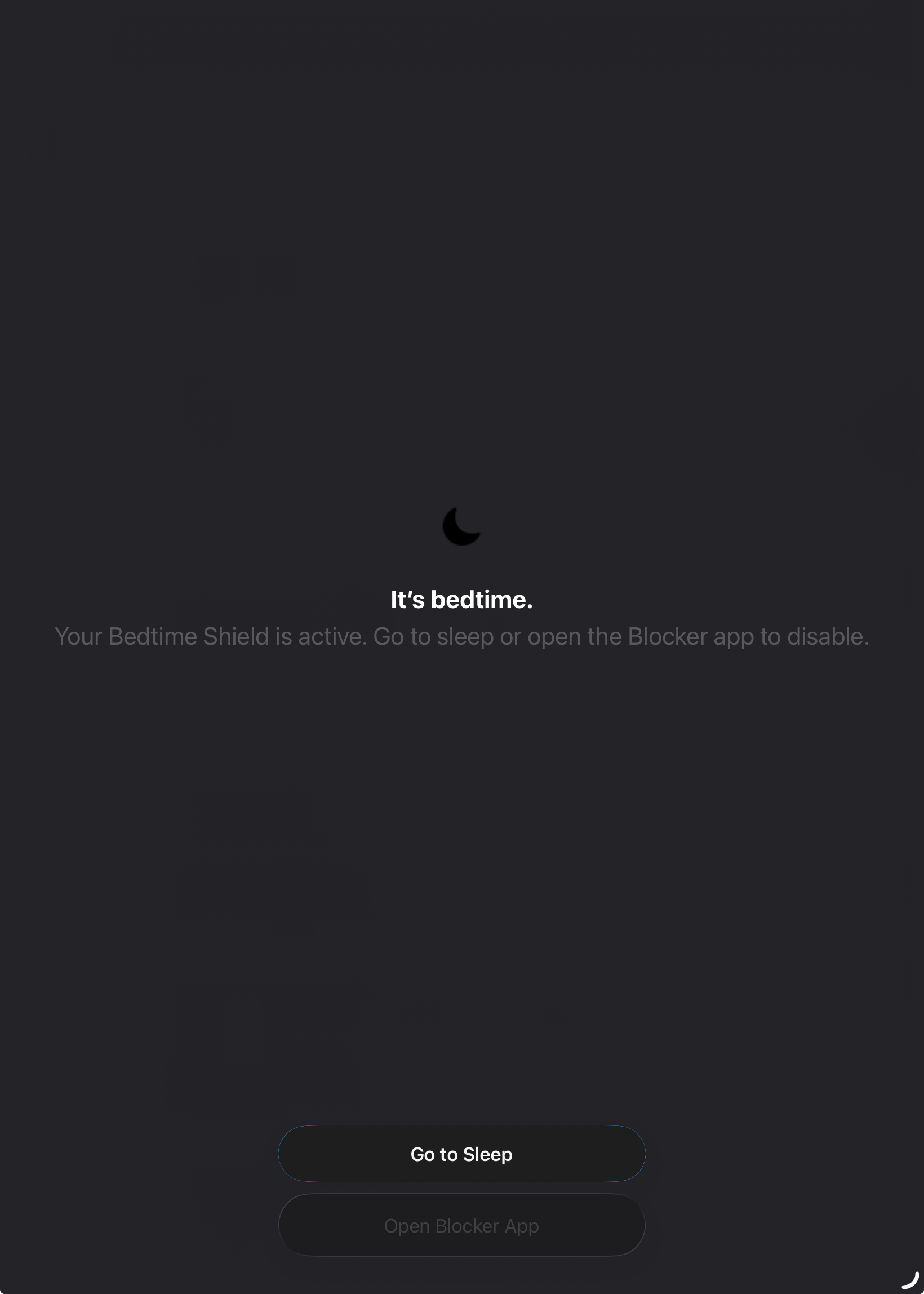
Bedtime Shield
A dedicated night mode locks distractions while you wind down. Wake up refreshed instead of doomscroll-drained.
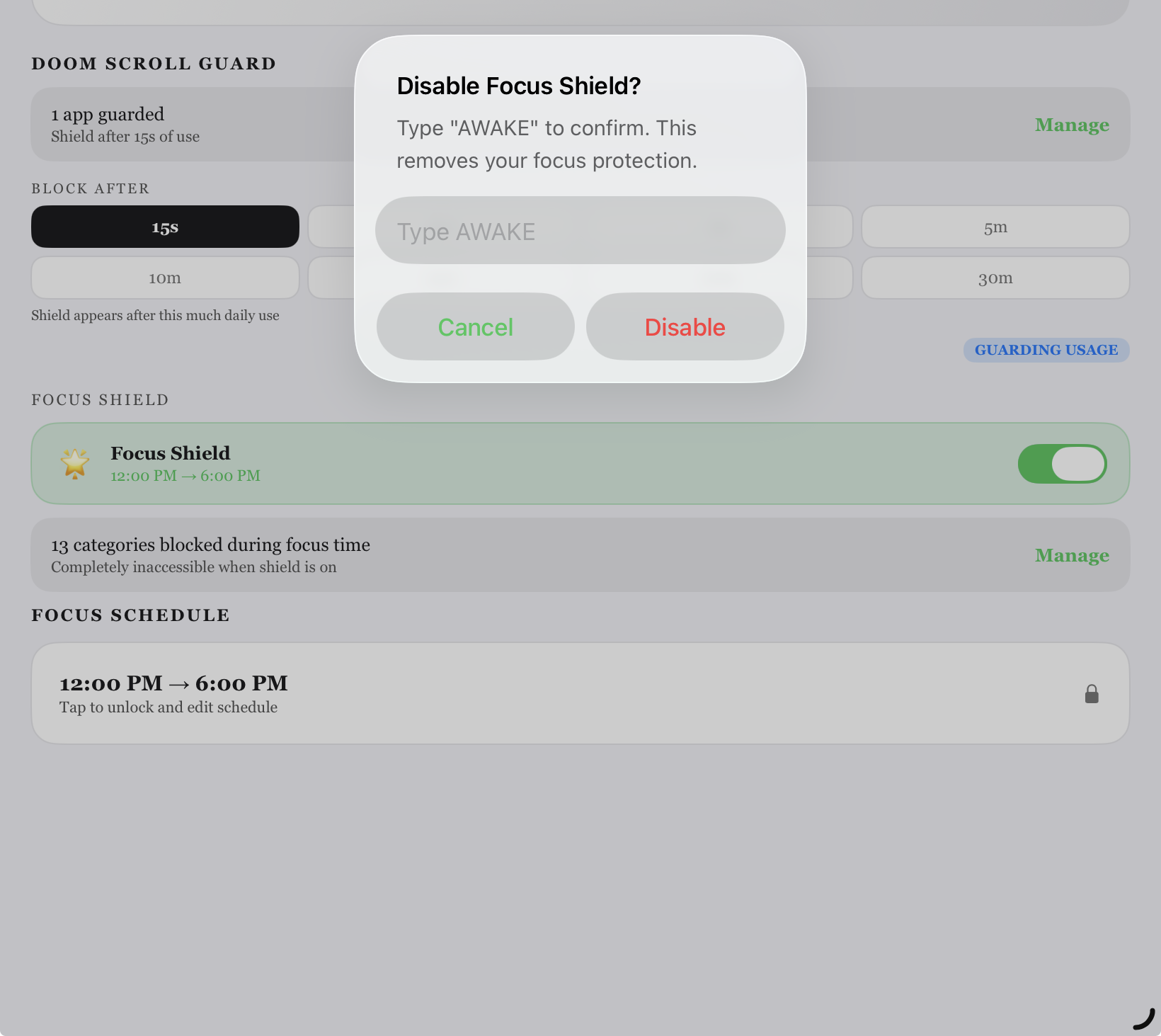
Tamper-Proof Lock
Changing your blocked apps or shutting off focus time requires unlocking — so you can't cheat in a moment of weakness. Your future self will thank you.
We'd love to hear from you.
Got a suggestion, found a bug, or just want to say hi? Drop us a message.
Ready to stop doomscrolling?
Your life is waiting. Break the impulsive checking habit and reclaim hours of your day with DoomScrollBlocker.
Download on the App Store